How to Reset the BMW Service Light: Step-by-Step for E90, F30 & G20
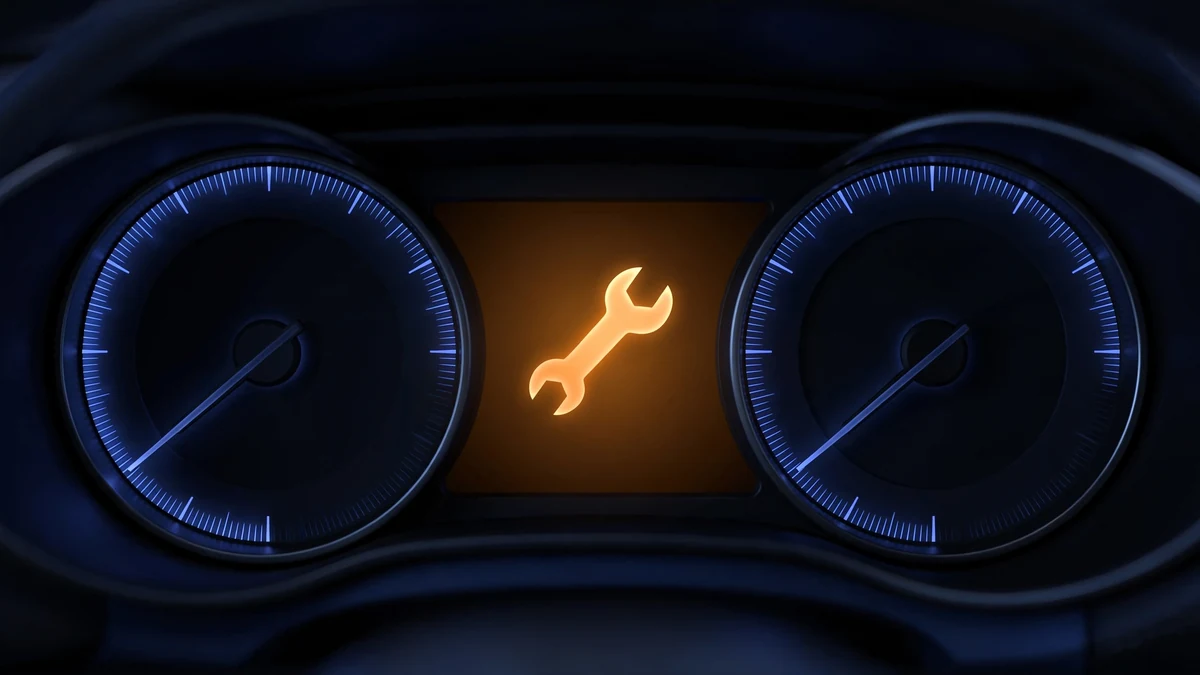
That amber service reminder on your BMW’s cluster isn’t a fault — it’s the Condition Based Service (CBS) system telling you a maintenance item is due. Once the work is done, the reminder won’t clear itself: you have to reset it. The good news: on the 3 Series you can do it in about two minutes with the buttons already in your car — no scanner, no dealer visit.
This guide shows you how to reset BMW service light reminders on the three most common 3 Series generations — E90 (2006–2011), F30 (2012–2018), and G20 (2019–present) — plus the iDrive method, a decoder for every CBS icon so you reset the right item, and what to do when the reset refuses to work. Everything here sits in the Maintenance & DIY hub.
The short answer
- Engine off, ignition on — do not start the engine.
- Press and hold the trip-reset button on the instrument cluster until the service menu appears.
- Tap the button to scroll to the service item you just completed.
- Press and hold until “Reset?” appears, release, then press and hold again to confirm.
- Switch the ignition off. The reminder is cleared and the interval restarts.
The exact button and ignition sequence vary slightly by generation — pick yours below for the precise steps.
In this guide
- Pick your 3 Series generation (interactive)
- E90 vs F30 vs G20 at a glance
- Resetting through iDrive
- Which reminder are you actually resetting?
- When the reset fails
- What resetting does not do
- Frequently asked questions
Pick your 3 Series generation
Select your generation below for the exact button sequence. The ignition steps differ — getting them right is the whole trick.
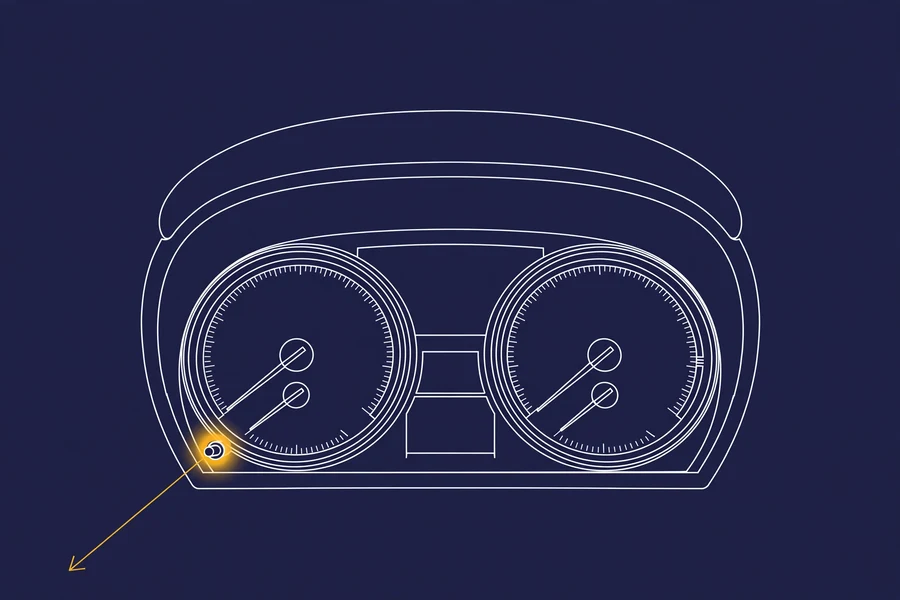
E90 (2006–2011) — E90, E91, E92, E93 — uses the odometer reset button on the instrument cluster.
- Insert the key fob into the slot (on keyless models, just have the fob inside the car). Press the START/STOP button once without touching the brake pedal — ignition on, engine off. On keyed models, turn the key to position 1.
- Wait for any check-control messages to clear from the display.
- Press and hold the odometer reset button (lower-left of the instrument cluster) for about 10 seconds, until the service symbol appears in the center display.
- Release the button, then press it briefly to scroll through the service items until the one you serviced appears (e.g. engine oil).
- Press and hold the button until “Reset?” is displayed.
- Release, then press and hold again to confirm. The display shows the reset running, then the new interval.
- Switch the ignition off. Done.

F30 (2012–2018) — F30, F31, F34 — uses the trip-odometer reset button on the instrument cluster.
- With the key inside the car, press the START/STOP button twice without touching any pedal — ignition on, engine off.
- Press and hold the trip-odometer reset button (lower-left of the instrument cluster) until the service menu icon appears in the display.
- Press the button briefly to scroll through the service items until you reach the one you serviced.
- Press and hold the button until the reset prompt appears.
- Release, then press and hold again to confirm. You’ll see the reset run, then the new due date and mileage.
- Switch the ignition off.
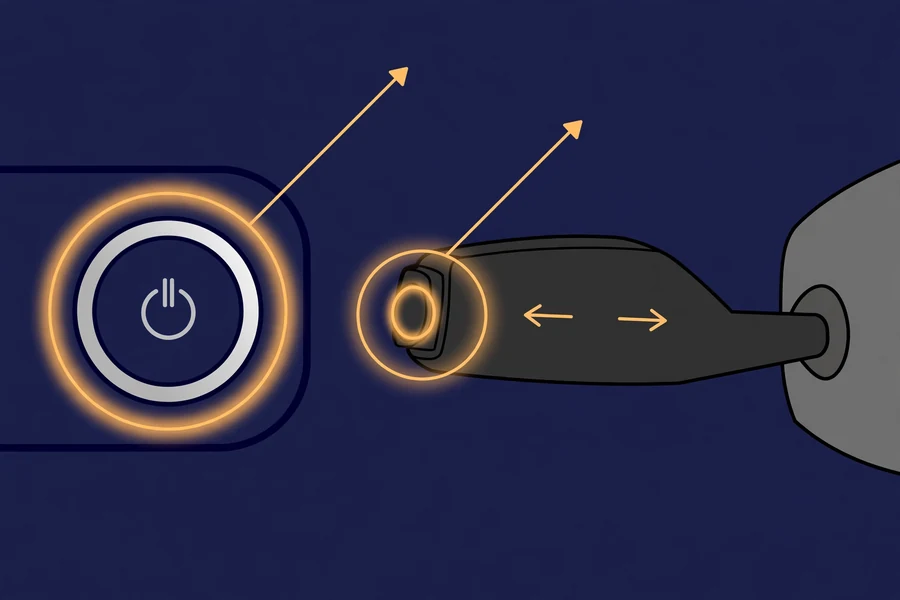
G20 (2019–present) — G20, G21 — uses diagnostic mode plus the BC button on the turn-signal stalk.
- Engine off. Press the START/STOP button three times quickly without touching the brake pedal. Wait until “Diagnostic Mode Active” appears in the cluster.
- Press and hold the BC button on the end of the turn-signal stalk for 10–15 seconds, until the service menu appears.
- Press the BC button briefly to scroll through the service items.
- When the serviced item is shown, press and hold BC for 5–10 seconds until “RESET?” appears.
- Press the BC button once more to confirm. The reset runs and the new interval appears.
- Press START/STOP once to leave diagnostic mode.
Variation: on a few G-chassis cars the menu responds to the cluster’s trip-reset button instead of BC — if holding BC does nothing after 15 seconds, try the trip-reset button.
E90 vs F30 vs G20: the reset at a glance
Same idea, different buttons. If you already know your way around one generation, this is the only table you need:
| Generation | Ignition (engine off) | Press & hold | Scroll | Confirm |
|---|---|---|---|---|
| E90 (2006–2011) | START once (or key to position 1) | Odometer reset button hold ~10 sec | Brief presses | Hold → “Reset?” → hold again |
| F30 (2012–2018) | START twice | Trip reset button hold until menu | Brief presses | Hold → prompt → hold again |
| G20 (2019–present) | START 3× “Diagnostic Mode Active” | BC button on stalk hold 10–15 sec | Brief BC presses | Hold → “RESET?” → press BC once |
How to reset BMW service light through iDrive
If your BMW has iDrive, you can reset some service items from the screen instead of the cluster — handy if you prefer menus to button sequences.
- iDrive 6 / 7 (most F30s, G20 pre-LCI): press MENU → Vehicle info (or Vehicle status) → Service required → select the serviced item → Reset → confirm.
- iDrive 8 (G20 LCI with the curved display): open the Vehicle status app → Service required → select the item → Reset → confirm.
Two caveats: not every CBS item is resettable through iDrive on every car, and the cluster method above works on all of them — so if the iDrive option is greyed out, just use the cluster.
Which reminder are you actually resetting?
The most common mistake is resetting the wrong item. BMW’s CBS tracks each service separately, each with its own icon. Match what you see in your cluster before you reset anything:
| Icon you see | What it means | Typical interval | Notes |
|---|---|---|---|
| Oil can | Engine oil service | CBS-calculated; typically up to ~10,000 miles or 12 months | Based on driving style, fuel consumption and oil condition — your cluster’s figure is authoritative. |
| Brake pad (circle with dashes) | Front or rear brake pads | Wear-based | A tripped wear sensor is one-time-use — fit a new sensor with the pads or the reset will fail. |
| Brake-fluid reservoir | Brake fluid | Every 2 years (strictly time-based) | Brake fluid absorbs moisture; this one runs on the calendar, not mileage. |
| Filter | Cabin microfilter (engine air filter on some models) | Approx. every 2 years / mileage-based | Often overlooked — it has its own reminder. |
| Car on a lift | Vehicle check (general inspection) | Periodic, per CBS | The statutory-style inspection reminder. |
| Spark plug | Spark plugs | Approx. 60,000 miles (engine-dependent) | Interval varies by engine — check your owner’s manual. |
When the reset fails
Sometimes the car says no. Pick what happened and you’ll get the cause and the fix:
What it means: CBS is refusing the reset — this is not a wrong-button problem.
- Minimum consumption not reached (engine oil). CBS won’t reset the oil interval if too little mileage has passed since the last reset. Nothing to fix — the interval simply isn’t due for a reset.
- Stored fault codes are blocking the reset. Scan with an OBD tool, fix the underlying issue, clear the codes, then try the reset again.
What it means: the brake wear sensor has tripped — and it’s one-time-use.
Once the sensor wears through and triggers the warning, it must be replaced (fitted with the new pads) before the reset will take. No button sequence can override a tripped sensor. Fix: replace pads + wear sensor, then reset.
What it means: the car never entered the service menu — almost always the ignition state.
- Re-check the sequence for your generation: the F30 needs two START presses, the G20 needs three (wait for “Diagnostic Mode Active”).
- Confirm you’re holding the right button — cluster trip-reset on E90/F30, the stalk BC button on G20.
- Hold a full 10–15 seconds; short holds won’t trigger the menu.
What it means: the CBS data itself is corrupted — e.g. a red car-on-a-lift that won’t clear, or negative mileage showing after a reset.
A DIY reset can’t fix this. Fix: it needs dealer-level software (ISTA) to rewrite the CBS data — book a BMW specialist or dealer.
iDrive reset greyed out? Normal on some cars and items — BMW doesn’t expose every CBS reset through iDrive. Use the cluster method instead; it works on all of them.
What resetting does not do
- It does not clear a Service Engine Soon / check-engine light. That’s a fault-code warning, not a maintenance reminder — it needs diagnosis, not a reset.
- It does not write to the iDrive service history. A DIY cluster reset restarts the countdown but leaves no history entry (dealers write history with ISTA). Keep your receipts — they matter at resale.
- It does not replace the service. Resetting a brake-pad reminder without changing the pads just silences the warning. Never reset a wear-based item you haven’t actually serviced.
If the buttons don’t do it: scan tools
For fault-code-related failures, a BMW-capable OBD scanner — even an inexpensive one — can read codes, clear them, and often reset CBS items from a menu. Mentioned for completeness: the button methods above need no tools at all.
Frequently asked questions
Procedures cross-checked against BMW owner’s-manual documentation and multiple owner sources. Last verified: September 2026. CBS behavior varies slightly by model year — your cluster display is the final authority.