9 Hidden BMW Comfort Features You Didn’t Know Existed
Your BMW knows which key just unlocked it, remembers where you like the seat, can close every window from across the parking lot, and will keep the headlights on to walk you to your door. Most owners use none of it — not because the features are broken, but because BMW buried them three menus deep or left them switched off for the American market. These are the hidden bmw features that make the car feel twice as expensive once you know they exist.
Short answer
The best hidden BMW comfort features are key memory (each fob recalls its own seat and mirror positions), one-touch triple-blink turn signals, pathway lighting that keeps the headlights on after you park, global window open/close from the key fob, the REST residual-heat button (older cars), passenger mirror auto-tilt in reverse, programmable one-press vs. all-door unlocking, the eight iDrive favorite shortcut buttons, and drive-off auto-locking. Most are already in your car — they just need switching on in iDrive or with coding. Use the feature finder below to see which ones your generation and options support.
In this guide
- 1. Key memory: two drivers, zero arguments
- 2. Selective unlocking: one press, driver’s door only
- 3. One-touch triple-blink turn signals
- 4. Pathway lighting: headlights that walk you home
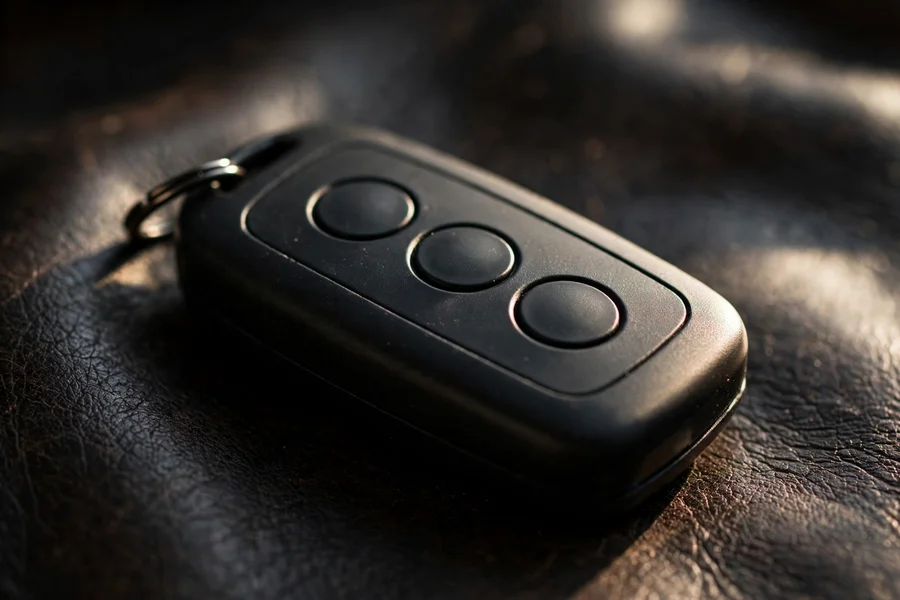
- 5. Global windows: open and close everything from the fob
- 6. REST: residual heat after shutdown (older cars)
- 7. Passenger mirror auto-tilt in reverse
- 8. The eight iDrive favorite buttons
- 9. Drive-off auto-lock and engine-off unlock
- Honorable mentions: 5 more worth knowing
- Why does BMW hide all of this?
- Coding starter kit: what to buy, what to change first
- Features BMW took away (and what replaced them)
- The 10-minute setup routine for a new-to-you BMW
- Generation cheat sheet: how comfort tech differs by era
- Troubleshooting: when a hidden feature stops working
- Try this on your next drive
- Which features need which options
- Interactive: feature finder
- Interactive: how many do you actually use?
- Frequently asked questions
1. Key memory: two drivers, zero arguments
On cars with the memory-seat option, each key fob is linked to a driver profile. Unlock with your key and the seat, exterior mirrors, and (on many cars) steering column glide to your saved positions; your partner unlocks with theirs and gets their setup. No button-pressing, no “who moved my seat” — the car knows who arrived. To set it: adjust everything, then hold the memory button (M + 1 or 2) with your key as the active one. The link to the key is automatic on most E90, F30, and G20 cars with memory seats — the car associates the profile with whichever key unlocked it.
The catch: no memory-seat option, no key memory. Base cars with manual seats cannot learn this trick. When shopping used, this is one of the quiet reasons to hold out for a car with the memory package — our option codes guide shows how to spot it on the build sheet.

2. Selective unlocking: one press, driver’s door only
Out of the box, many BMWs unlock only the driver’s door on the first press of the fob — a security feature from an era when carjackings at traffic lights made the news. Press twice (or hold) for all doors. If yours unlocks everything at once and you would rather it didn’t, or vice versa, it is a setting, not a fault: iDrive → Settings → Doors/Key (wording varies by iDrive generation — see our iDrive generations guide). Comfort Access cars add another layer: grabbing the driver’s handle unlocks just that door, or all doors, depending on the same setting.
3. One-touch triple-blink turn signals
Tap the indicator stalk lightly — not past the detent — and the turn signal blinks three times and cancels itself: the lane-change blink. It has been standard on the 3 Series since the E90 era, yet a remarkable number of owners discover it years in by accident. On newer iDrive versions (and with coding apps on older ones) the count can be changed — five blinks is the popular alternative for long highway lane changes. Small feature, daily payoff.
4. Pathway lighting: headlights that walk you home
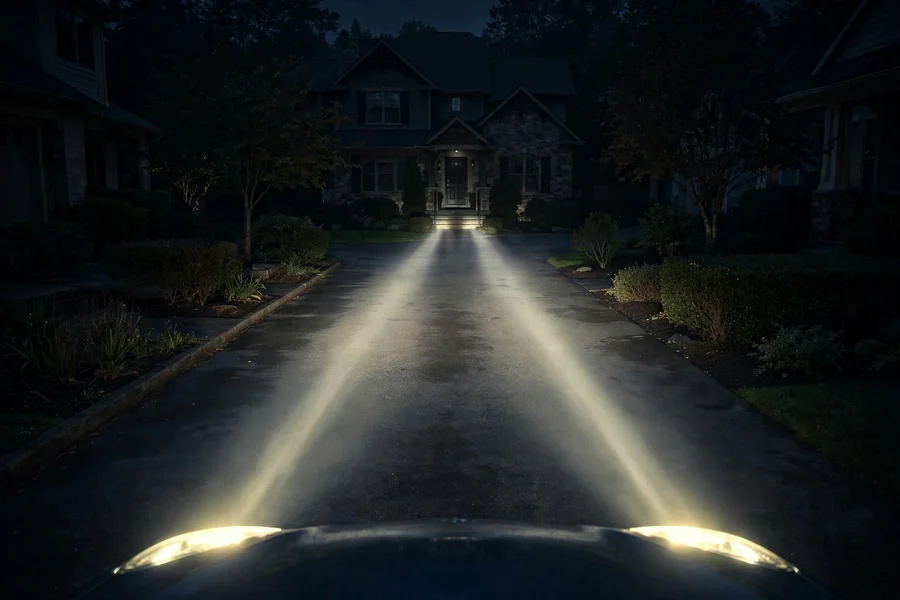
Pull the high-beam stalk toward you after switching off (or set it in iDrive on newer cars) and the headlights stay on for 30–90 seconds after you lock up — lighting the path to a dark front door, then switching themselves off. BMW calls it pathway lighting or “coming home” lights; there is a matching “leaving home” function that lights the car when you unlock in the dark. Duration is adjustable in iDrive on F30 and G20 cars. It costs nothing, uses the lights you already paid for, and feels like a luxury-car party trick every single time.
5. Global windows: open and close everything from the fob
Hold unlock on the fob and every window (plus the sunroof, on cars so equipped) drops — perfect for venting a heat-soaked cabin from across the parking lot. Hold lock and everything closes again. Here is the catch that frustrates American owners: on many US-market cars the closing half is disabled from the factory over liability concerns, while the opening half works. The fix is coding — apps like BimmerCode can enable fob window-closing in minutes on F30 and G20 cars. Note the safety logic: the car needs a clear signal path and will stop a window if it meets resistance, which is exactly why BMW felt comfortable shipping the feature everywhere else in the world.
6. REST: residual heat after shutdown (older cars)
E90 and early F30 cars with automatic climate control have a REST button on the climate panel. Press it after switching off and the car circulates residual engine heat through the cabin for up to 15–30 minutes — the blower runs on battery power, keeping you warm while you wait in a parked car without idling the engine. It is the feature owners in cold climates mourn when they upgrade: BMW dropped the REST button from later interiors, folding the function into automatic auxiliary ventilation on some models and deleting it on others. If your E90 has the button, use it — it is free heat.
7. Passenger mirror auto-tilt in reverse
Slide the mirror selector switch to the passenger side and the passenger mirror tilts down automatically in reverse, showing you the curb instead of the sky — then returns when you drive off. Leave the selector on the driver’s side and it won’t. That tiny switch position is the entire on/off control, which is why half the owners who have it think it is broken or have never seen it work. Combine it with key memory and each driver gets their own tilt preference. Parallel-parking wheel rash: solved, or at least witnessed in high definition.
8. The eight iDrive favorite buttons
The row of eight numbered buttons under the iDrive screen (on iDrive 6 and 7 cars) is the most underused interface in the car. Each button stores anything: a nav destination, a phone contact, a radio station, a split-screen view, even a specific settings page. Set one by navigating to whatever you want, then holding the number until it beeps. Owners who program them stop digging through menus entirely — “3” for home, “4” for the office, “7” for the traffic map. G20 cars with iDrive 7 keep the concept; the exact storage gesture is in the owner’s manual under “programmable memory buttons.”
9. Drive-off auto-lock and engine-off unlock
Most 3 Series lock their own doors when you pull away — drive-off auto-locking, settable in iDrive. Fewer owners know the companion setting: automatic unlocking when you switch the engine off (or open the driver’s door), so passengers are never trapped rattling handles while you walk away. Both live in the same iDrive doors menu as selective unlocking. Set them once to match your life — city parkers tend to want everything locked until the engine stops; suburban drivers often prefer all-doors-open on arrival.
Honorable mentions: 5 more worth knowing
Nine was the headline; the car keeps going. Five more features owners routinely miss:
Auto-recirculation with pollution sensor. The climate panel’s recirculation button with the little “A” doesn’t just recirculate — in automatic mode the car sniffs the outside air and closes the intake itself when it detects exhaust fumes or tunnel air, then reopens when the air clears. Sitting in traffic behind a diesel truck? The car already handled it.
The BC button is programmable. The little BC button on the indicator stalk cycles the instrument-cluster computer — range, average speed, consumption — but you choose which items appear. In iDrive (or the cluster menu on base cars), tick exactly the readouts you want and untick the rest. Most cars ship showing everything; a 10-second cull turns the stalk into a two-tap instrument.
Double-pull door handles. With the doors locked, the first pull of an interior handle unlocks that door; the second opens it. It is a mechanical-override behavior, not a bug — and the reason passengers sometimes think the handle is broken when they yank once and nothing happens. Knowing it is two pulls ends the back-seat confusion forever.
Rain-sensing wiper sensitivity. The stalk’s little thumbwheel doesn’t set wiper speed — it sets the sensitivity of the rain sensor. In light drizzle, dial it down and the wipers stop their frantic dry-wiping; in a downpour, dial it up. Owners who never touch the wheel either get smeared screens or screeching blades, and blame the sensor for what is really a setting.
Welcome lighting. Unlock in the dark and the car stages a little light show: door-handle lights, puddle lights, interior ambient glow, and on some cars the angel-eye daytime rings at low power. It is automatic, but the which lights part is configurable in iDrive on F30 and G20 cars — including whether the headlights join in. Set it once and every nighttime arrival feels choreographed.
Why does BMW hide all of this?
Four reasons, none of them mysterious. Liability: fob window-closing is disabled in the US because a closing window operated from across a parking lot is a lawsuit BMW doesn’t want. Market segmentation: some features are switched off in software rather than removed in hardware, because building one global car with regional settings is cheaper than building different cars. Dealer experience: a salesperson’s delivery walkthrough covers maybe ten features; the other fifty live in a 300-page manual nobody reads. Tradition: BMW has always treated configurability as an enthusiast reward — the settings are there for owners who go looking, which, intentionally or not, is exactly what makes finding them feel like unlocking a secret.
Coding starter kit: what to buy, what to change first
If the feature finder told you something needs coding, here is the honest starter kit. You need an OBD adapter (Bluetooth or Wi-Fi, the kind coding apps list as compatible — cheap generic ones often fail on BMWs) and a coding app such as BimmerCode, which walks you through changes in plain English with a backup function. Total cost is typically under the price of a tank of fuel, and the backup means every change is reversible.
Change these five first, in this order: 1) fob window-closing (the single most-missed feature in America); 2) lane-change blink count from 3 to 5; 3) door-handle LED behavior on unlock; 4) disabling the seatbelt chime’s extra nag stages is not recommended — but adjusting daytime-running-light behavior is a popular legal one; 5) digital speedometer in the cluster if your car doesn’t show it. Do one change at a time, test it, and keep the backup. Coding forums are full of people who changed forty things at once and can’t remember which one broke the welcome lights.
Features BMW took away (and what replaced them)
Not every discovery is a gain. The REST button (covered above) vanished from later interiors with no direct replacement. The CD player died with the G20 — streaming and USB took its place, and nobody under thirty noticed. The manual handbrake lever became an electronic parking button with the F30, taking handbrake turns and that satisfying ratchet with it (the button does have an emergency function: pull and hold while moving). And the physical key slot faded as Comfort Access spread — the fob now lives in your pocket full-time, which is wonderful until its battery dies and you discover the hidden mechanical key inside it. Every removal traded a tactile ritual for convenience; whether that is progress depends on how much you liked rituals.
The 10-minute setup routine for a new-to-you BMW
Just bought the car? Do this before anything else. Minutes 0–2: sit in the driver’s seat with your key, set seat/mirrors/column, save to memory 1. Hand the second key to your co-driver and have them save memory 2 — key memory is now configured. Minutes 2–5: in iDrive, set selective unlocking, drive-off locking, engine-off unlock, and pathway-lighting duration to taste. Minutes 5–7: program the eight favorite buttons — home address, office, two radio stations, traffic map. Minutes 7–10: test the fob windows (open and close), the triple-blink, and the mirror tilt in reverse. Ten minutes, and the car goes from “transportation” to “yours.” Revisit after a week — the settings you thought you wanted on day one are rarely the ones you keep.
Generation cheat sheet: how comfort tech differs by era
The features are similar; the interface is not. On the E90, half of these settings live in the instrument cluster’s hidden-ish BC menus or behind the indicator stalk, because early iDrive (CCC) was primitive and many cars didn’t have iDrive at all. Pathway lighting is a stalk pull, not a menu. The REST button is physical. Coding requires a laptop cable and NCS Expert — the enthusiast deep end.
The F30 moved everything into iDrive (CIC, then NBT), which is why F30 owners find more of these features: the menus are actually browsable. This is also the coding sweet spot — BimmerCode and a Bluetooth adapter handle nearly everything, and the F30’s long production run means every quirk is documented. If you want maximum hidden-feature yield per dollar, a 2016–2019 F30 is the pick.
The G20 (iDrive 7/8) made the common settings easier and the deep ones harder: the everyday menus are clearer, but BMW locked down more coding paths, so some F30-era tricks need newer tools or don’t work at all. The tradeoff is features the older cars never had — digital key on your phone, remote 3D view, and over-the-air updates that occasionally add comfort functions years after purchase. Each generation hides its features in the technology of its time.
Troubleshooting: when a hidden feature stops working
Hidden features fail in predictable ways. Key memory suddenly wrong? Someone saved over your profile — re-save with your key active, and check that your partner isn’t using your fob. Mirror tilt stopped? The selector switch got bumped to the driver’s side; slide it back to passenger. Fob windows dead after a dealer visit? Software updates can reset coding changes — re-apply them from your backup. Comfort Access intermittent? Nine times out of ten it is the fob battery (CR2032, two minutes, no tools beyond a fingernail). Pathway lighting not working? The light switch must be in automatic, and the car must think it is dark — testing it at noon proves nothing.
The meta-lesson: because these features are configurable, “it stopped working” usually means “a setting changed,” not “a part failed.” Check the menus before you check the workshop — and write down your preferred settings somewhere, because the next software update or battery disconnect may send you back through this article.
Try this on your next drive
Reading about hidden features is one thing; feeling them is another. On your next drive, run this five-minute experiment. At the first stoplight, tap the indicator stalk lightly and count the blinks. At the next parking maneuver, shift to reverse with the mirror selector on the passenger side and watch the curb appear. When you park tonight, pull the high-beam stalk after switching off and walk away while the headlights guard your path. Tomorrow morning, hold the fob’s unlock button from your front door and listen to the windows drop before you’ve finished your coffee.
Then do the two that require sitting still: program one iDrive favorite button with your home address, and set selective unlocking to match your comfort level. Five small experiments, one week of noticing. By next weekend you will wonder how you ever drove the car without them — which is exactly how a dozen small comfort features add up to the feeling people describe, inaccurately but affectionately, as “the ultimate driving machine.” Start with the stalk tap; it takes three seconds.
Which features need which options
Not every feature exists on every car. This table is the honest version — check your build sheet before hunting a menu that isn’t there.
| Feature | E90 | F30 | G20 | Requires |
|---|---|---|---|---|
| Key memory | Yes | Yes | Yes | Memory-seat option |
| Selective unlocking | Yes | Yes | Yes | Standard (set in iDrive) |
| Triple-blink signals | Yes | Yes | Yes | Standard |
| Pathway lighting | Yes (stalk) | Yes | Yes | Standard |
| Global window open | Yes | Yes | Yes | Standard (close often needs coding in US) |
| REST residual heat | Yes | Early cars | No | Automatic climate control |
| Mirror auto-tilt | Yes | Yes | Yes | Power-folding or memory mirrors |
| Favorite buttons | No (iDrive) | Yes (iDrive 6) | Yes (iDrive 7) | iDrive with button row |
| Drive-off auto-lock | Yes | Yes | Yes | Standard (set in iDrive) |
A note on coding: “coding” here means changing the car’s own configuration settings with an app and an OBD adapter — not hacking, not tuning, and reversible. Features like fob window-closing and blink counts are settings BMW shipped in the car’s software but switched off for certain markets. It is the owner’s manual the dealer never gave you.
Interactive: feature finder
Tell the finder your generation and options. It returns the hidden features your exact car supports — and flags the ones your options rule out.
Feature finder
Answer four questions about your car.
Interactive: how many do you actually use?
Tick the features you already use. Be honest — the car won’t judge you, but the score might.
Comfort feature checklist
Frequently asked questions
Hold the lock button on the fob. If nothing happens, the closing function is disabled — normal on US-market cars. Coding apps like BimmerCode can enable fob window-closing on F30 and G20 models in minutes; the opening function (hold unlock) usually works from the factory.
That is selective unlocking, a standard security feature — one press opens the driver’s door, a second press opens the rest. You can change it in iDrive under Settings → Doors/Key so one press unlocks everything. It is a setting, not a fault.
REST circulates residual engine heat through the cabin after you switch off — up to about 15–30 minutes of free warmth while parked, with the blower running on battery power. It was fitted to E90 and early F30 cars with automatic climate control and was dropped from later interiors.
With the memory-seat option: adjust the seat, mirrors, and steering column, then hold M plus 1 or 2 until it beeps. The car links that profile to whichever key fob unlocked it, so each driver gets their own positions automatically — that is key memory. Cars without the memory-seat option cannot store positions.
Changing configuration settings (fob window-closing, blink counts, lighting behavior) with a coding app is low-risk and reversible — you are flipping settings BMW shipped in the car’s software, not modifying code. Stick to documented comfort settings, back up before changing anything, and avoid modules you don’t understand.