BMW iDrive Generations, From CCC to ID8, Explained
If you’re trying to figure out which iDrive system your 3 Series has — or which one a used BMW you’re eyeing comes with — the model year alone almost gets you there. BMW’s iDrive has passed through six distinct generations since 2001, from the DVD-based CCC to today’s curved-display iDrive 8, and each one changes the screen size, the controller, how maps update, and whether Apple CarPlay is even possible. This guide maps every generation to the 3 Series years that carried it, with the production-date cutovers, screen sizes, and the honest retrofit reality for each.
The six BMW iDrive generations are CCC (2003–2008), CIC (2008–2013), NBT (2012–2015), NBT EVO (2015–2018), iDrive 7 (2018–2022), and iDrive 8 (2022–present). On the 3 Series: E90s built through 09/2008 have CCC, E90s from 09/2008 (plus early F30s) have CIC, F30s built 11/2012–07/2015 have NBT, F30s from 07/2015 have NBT EVO, G20s from 09/2018 have iDrive 7, and G20 LCIs from 07/2022 have iDrive 8. Factory Apple CarPlay starts with NBT EVO ID5/ID6 on 2017 model-year cars — anything older needs an aftermarket solution.
In this guide
- All six generations at a glance
- CCC (2003–2008): the original iDrive
- CIC (2008–2013): hard drive arrives
- NBT (2012–2015): the big speed jump
- NBT EVO (2015–2018): CarPlay appears
- iDrive 7 (2018–2022): the digital cockpit
- iDrive 8 (2022–present): the curved display
- Which iDrive do I have? The visual checklist
- iDrive identifier tool
- CarPlay and retrofit: the honest reality
- CarPlay and retrofit eligibility checker
- Map updates by generation
- Resets and Bluetooth pairing
- Frequently asked questions
All six BMW iDrive generations at a glance
Two things to know before reading the table. First, BMW changes infotainment by production date, not model year — the cutovers below use the production months BMW actually switched head units, drawn from the BMW iDrive timeline documented on Wikipedia and cross-checked against BMW coding references. A car built within a month or two of a cutover can go either way, so treat boundary cars as “check the VIN.” Second, these generations describe the head unit (the computer behind the dash), not just the screen — a bigger display doesn’t always mean a newer system.
| Generation | Years | 3 Series fitment | Screen | Controller | Maps | CarPlay |
|---|---|---|---|---|---|---|
| CCC | 2003–2008 | E90 built 03/2005–09/2008 (MY 2006–2008) | 8.8 in (nav cars) | Original single rotary knob, MENU button | DVD map discs | None — aftermarket only |
| CIC | 2008–2013 | E90 built 09/2008–10/2013 (MY 2009–2013); F30 built 02/2012–11/2012 (MY 2012) | 8.8 in (nav cars) | Redesigned knob with shortcut buttons | Internal hard drive; USB updates | None — aftermarket only |
| NBT | 2012–2015 | F30 built 11/2012–07/2015 (MY 2013–2015) | 8.8 in (nav cars) | Larger knob; optional touchpad on top | HDD; USB updates | None factory — retrofit kits only |
| NBT EVO | 2015–2018 | F30 built 07/2015–06/2016 = ID4 (MY 2016); 07/2016–2018 = ID5/ID6 (MY 2017–2018) | 8.8 in touchscreen (nav cars) | Touchscreen + knob with touchpad | USB or OTA | Factory wireless CarPlay from MY 2017 (ID5/ID6 only) |
| iDrive 7 | 2018–2022 | G20 built 09/2018–06/2022 (MY 2019–2022) | 8.8 in (Plus) / 10.25 in (Professional) | Touchscreen + controller | OTA + USB | Wireless CarPlay standard; Android Auto via update |
| iDrive 8 | 2022–present | G20 LCI built 07/2022– (MY 2023+) | 12.3 in + 14.9 in curved display | Touchscreen-first; controller retained | OTA + USB | Wireless CarPlay + Android Auto standard |
One more wrinkle worth knowing: BMW’s marketing names (iDrive 5, 6, 7, 8) describe the software interface, while CCC/CIC/NBT/NBT EVO/MGU describe the hardware head unit. NBT EVO is the odd one — it shipped with three different interfaces over its life (ID4, then ID5, then ID6), which is why a 2016 F30 and a 2018 F30 can both be “NBT EVO” yet feel like different systems. This article uses the hardware name first and the interface version in parentheses wherever it matters.
CCC (2003–2008): the original iDrive
CCC — Car Communication Computer — is the first-generation iDrive, and it’s the system that gave the original iDrive its reputation for being slow and cryptic. In the 3 Series it appeared in the E90 sedan from launch (production 03/2005) through the pre-LCI years, ending at the 09/2008 production cutover — US model years 2006 through 2008. It was option code 609 (Professional navigation) on the VIN decoder, and only cars ordered with navigation got the iDrive screen at all.
The giveaway is the hardware: two disc slots on the head unit (one for CDs, one for the navigation DVD) and a menu built around a central “i” icon with four options. The display on nav-equipped cars is an 8.8-inch screen, and the controller is the original single large rotary knob with a MENU button — no shortcut keys around it. There is no hard drive, no USB music port, and Bluetooth is hands-free calling only, on cars that have it.
Maps update the old-fashioned way: DVD map discs, swapped in the drive — there’s no USB update path. CarPlay of any kind, factory or coding-based, is impossible on CCC hardware; the only route to modern phone mirroring is a full screen-replacement unit that keeps the factory controller. CCC is also the one generation with its own reboot procedure (volume plus both eject buttons), which is why identifying it matters before you try the standard 30-second reset.
CIC (2008–2013): hard drive arrives
CIC — Car Information Computer — replaced CCC from 09/2008 production and is the most common system in the E90 generation: every LCI E90 (US MY 2009–2011 sedans and wagons) plus the E92/E93 coupes and convertibles through the end of their run in 2013. It also covered the very first F30s, built 02/2012–11/2012 (US MY 2012) — if you own a 2012 3 Series, check whether it was built before or after November 2012, because the answer flips from CIC to NBT right there.

CIC’s headline upgrade was an internal hard drive for maps and music, replacing CCC’s map DVD — one disc slot instead of two, and a USB port in the glovebox for map updates. The interface is noticeably faster with a higher-resolution 8.8-inch display on nav cars (10.25-inch displays appeared on larger BMWs, not the 3 Series). The controller was redesigned with shortcut buttons around the knob for radio, media, navigation, and phone, and selected menu items get a red highlight border — a quick visual tell that separates CIC from the later NBT.
Bluetooth audio streaming is possible on CIC but only on cars built with the COMBOX module (roughly 2011 and later builds) — earlier cars do hands-free calls only. There is no factory CarPlay, and unlike NBT EVO there is no activation code that changes that; the realistic options are an MMI retrofit box or a screen-replacement unit. Map updates come via USB stick with a VIN-specific activation code, or at the dealer.
NBT (2012–2015): the big speed jump
NBT — “Next Big Thing,” also called CIC-High in BMW’s internal naming — ran in the F30 3 Series from 11/2012 to 07/2015 production, covering US model years 2013 through 2015. It looks similar to CIC at first glance, which is exactly why the two get confused: both use the red-highlight menu style. The differences are under the surface — a much faster processor, more memory, sharper 3D maps, and integrated Bluetooth/USB that removed the need for a separate COMBOX module.
The controller grew a capacitive touchpad on top (optional handwriting recognition), though not every car has it — the touchpad knob was an option, so a knob without a touchpad doesn’t rule out NBT. The screen stayed 8.8 inches on 3 Series nav cars, and a new “ConnectedDrive” menu appeared, backed by a built-in SIM module for live services. Map updates moved to USB sticks loaded from BMW’s download portal, and the interface added richer POI search and real-time traffic where equipped.
The critical CarPlay fact: NBT has no factory CarPlay path. BMW didn’t offer CarPlay until the NBT EVO hardware generation, and no coding or activation code adds it to NBT. Your options are an aftermarket MMI retrofit box (adds CarPlay through the factory screen) or the more involved route of retrofitting a complete NBT EVO ID5/ID6 head unit — doable, but it’s a hardware swap plus coding, not a software toggle.
NBT EVO (2015–2018): CarPlay appears
NBT EVO is the trickiest generation because BMW shipped three different interfaces on the same hardware. In the F30 3 Series: builds from 07/2015 to 06/2016 got ID4 (US MY 2016), which looks almost identical to NBT — same red-highlight menus. Builds from 07/2016 through the end of F30 production got ID5, then ID6 (US MY 2017–2018), the horizontal tile interface with live tile previews. A 2016 and a 2017 3 Series can both be “NBT EVO” and feel like different systems, which is why the identifier tool below asks about the menu, not just the year.

The headline hardware change: touchscreen for the first time, an 8.8-inch touch display on 3 Series cars, with the controller and its touchpad retained. ConnectedDrive got faster with a new communications module. Maps update via USB or over the air through ConnectedDrive.
CarPlay is where NBT EVO earns its keep: it’s the first iDrive hardware that supports Apple CarPlay at all. But the fine print matters. Factory wireless CarPlay was option 6CP, offered from the 2017 model year — and it only works on ID5/ID6 units, not ID4. BMW’s own guidance for after-production CarPlay requires a car built after July 2016, Professional navigation (option 609), ID5/ID6/ID7 software, and enhanced Bluetooth with the WiFi antenna (option 6NW or 6FR) — without the antenna, the WiFi-based CarPlay connection can’t work, though the antenna itself can be retrofitted. Cars that meet the hardware bar but weren’t ordered with 6CP can be activated with a VIN-specific FSC code; cars on ID4 need a software flash to ID5/ID6 first. There is no factory Android Auto on any NBT EVO.
iDrive 7 (2018–2022): the digital cockpit
iDrive 7 debuted in the summer of 2018 and launched with the G20 3 Series — production from 09/2018, US model years 2019 through 2022. The head unit changed too: the old CCC/CIC/NBT line gave way to the MGU (Media Graphics Unit) hardware, though enthusiasts still say “iDrive 7” for both the hardware and the interface. This is the first generation designed as a full digital cockpit rather than a screen bolted onto analog gauges.
Two configurations existed on the G20. Live Cockpit Plus pairs a 5.7-inch driver’s display with an 8.8-inch center screen; Live Cockpit Professional upgrades to a fully digital 12.3-inch instrument cluster and a 10.25-inch center display. (A small number of early G20s without either Live Cockpit package kept NBT EVO hardware as the base system — another reason to check rather than assume.) The interface dropped the circular gauges for a new “arced” cluster design, added driver profiles, an improved voice assistant (“Hey BMW”), and over-the-air software updates.
Connectivity is where iDrive 7 settles the CarPlay question for good: wireless Apple CarPlay is included on G20 cars with iDrive 7, and Android Auto arrived via a software update (cars on software version 07/2020 or later) — BMW’s first official Android Auto support. Maps update over the air automatically, with USB download as a backup. If your G20 is a 2019–2022 and the phone won’t connect, the answer is in the pairing steps and software version, not the hardware generation.
iDrive 8 (2022–present): the curved display
iDrive 8 arrived with the G20 LCI facelift — production from 07/2022, US model year 2023 onward — on new MGU21 hardware. The signature is the BMW Curved Display: a single curved panel merging a 12.3-inch instrument cluster and a 14.9-inch center screen. Physical buttons were cut dramatically; the iDrive controller survives on the console, but the interface is touchscreen-first with a redesigned tile home screen and a far deeper voice assistant.
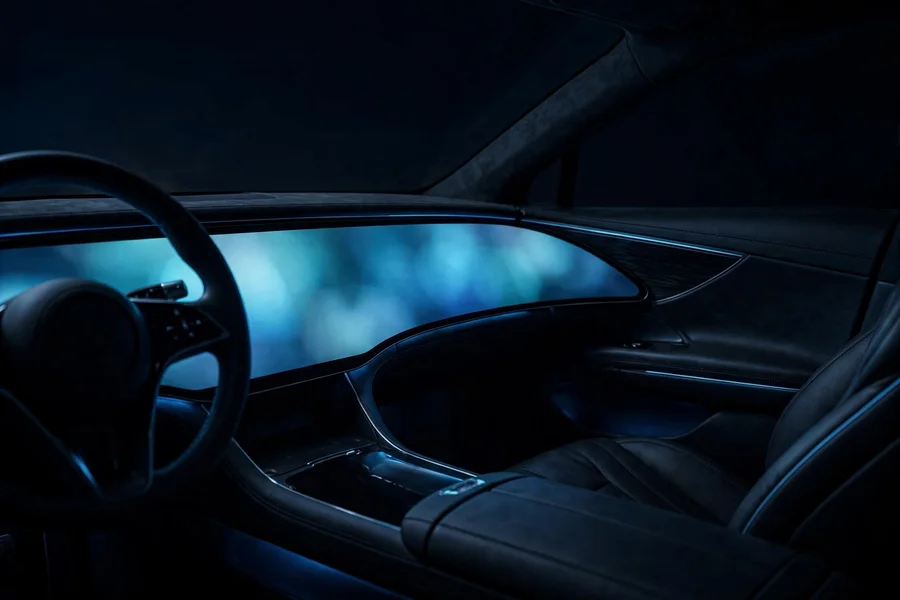
Wireless Apple CarPlay and Android Auto are both standard, and maps and software update over the air. One naming note: BMW later released iDrive 8.5 as a software revision (newer menu design, same curved hardware) on later builds — a G20 LCI from 2023 and one from 2025 can look slightly different in the menus while being the same generation. Because iDrive 8’s software security is much tighter than earlier generations, aftermarket retrofit options are far more limited — but with CarPlay, Android Auto, and OTA updates all standard, there’s rarely a reason to retrofit anything.
Which iDrive do I have? The visual checklist
Before reaching for the tool, these are the field marks that separate the generations in seconds. Start with the menu: CCC has a central “i” icon with four menu directions; CIC and NBT use text lists with a red highlight border (nearly identical to each other — use the production date to split them); NBT EVO ID4 looks like NBT; ID5/ID6 switched to horizontal tiles; iDrive 7 uses a modern tile home screen with a digital cluster; iDrive 8 is the single curved display you can’t miss. Then check the controller: CCC’s lone knob with a MENU button, CIC/NBT’s knob with shortcut keys around it, and the touchpad-topped knob from NBT onward.
For a definitive answer, decode the VIN. A free BMW VIN decoder (guides like the one on icodebmw.co.uk walk through this) shows the option codes: 609 is Professional navigation, with variants 609A (NBT), 609B (NBT EVO), and 609C/D/E (MGU hardware for ID5/ID6, ID7, and ID8); 606 is the older Business navigation of the CIC era; 6CP means the car left the factory with Apple CarPlay preparation; 6NW is enhanced Bluetooth with the WiFi antenna CarPlay needs. The driver’s door jamb sticker gives the exact production month — the final arbiter for cars built near a cutover.
iDrive identifier tool
Answer four quick questions — model, model year, what the controller looks like, and what the menus look like — and the tool identifies your generation, its key specs, and what CarPlay and map options it has. If your clues disagree, it tells you which one to trust.
Which iDrive do I have?
Four questions — get your generation, specs, and retrofit options.
CarPlay and retrofit: the honest reality
CarPlay is the number-one reason 3 Series owners research iDrive generations, so here is the unvarnished version. Factory Apple CarPlay did not exist on any BMW before the 2017 model year. BMW introduced it as option 6CP on NBT EVO hardware running ID5/ID6 software — and even then, only with the enhanced Bluetooth/WiFi hardware. Everything older needs aftermarket help, and the right kind depends entirely on the generation.
On CCC and CIC, there is no coding trick, no hidden menu, and no activation code that conjures CarPlay — the hardware predates it. The realistic paths are an MMI retrofit box that injects CarPlay through the factory screen, or a full screen-replacement unit (the more popular route, since it also fixes the dimming, delaminating displays these cars are known for). Both keep the iDrive controller working. On NBT, the story is the same: no factory path, aftermarket kits only, or the heavyweight option of swapping in a complete NBT EVO ID5/ID6 head unit with coding.
NBT EVO ID5/ID6 is the sweet spot for used-car buyers who want CarPlay: if the car was built after July 2016, has Professional navigation (option 609), and has enhanced Bluetooth with the WiFi antenna (option 6NW or 6FR), a VIN-specific FSC activation code turns on factory wireless CarPlay — BMW’s own ConnectedDrive guidance describes exactly this hardware bar. Missing the antenna? It can be retrofitted before activation. Cars on the older ID4 interface need a software flash to ID5/ID6 first, which is a coding-specialist job, not a DIY afternoon. On iDrive 7, wireless CarPlay is simply included, and Android Auto arrived with the 07/2020 software update — if it’s missing, update the software rather than shopping for hardware.
CarPlay and retrofit eligibility checker
Pick your generation for the straight answer: whether CarPlay came from the factory, what retrofit actually works, and how maps update.
CarPlay & retrofit checker
One pick — get the CarPlay verdict, the retrofit path, and the map-update route.
Map updates by generation
Map updates track the hardware eras neatly. CCC updates only by swapping DVD map discs — there’s no download path at all. CIC moved maps to the internal hard drive and updates via a USB stick in the glovebox port, each update tied to a VIN-specific activation code. NBT keeps the USB route, with maps downloadable from BMW’s portal onto a stick. NBT EVO adds over-the-air updates through ConnectedDrive alongside USB — the first generation where maps can refresh themselves. iDrive 7 and iDrive 8 update maps over the air automatically, with USB download as a backup. One practical note: official map support eventually ends for the oldest systems, so a 2006 E90 may simply be on the last maps ever pressed — another quiet argument for a screen-replacement unit with live phone navigation on CCC cars.
Resets and Bluetooth pairing
Every generation has its own reboot procedure and Bluetooth menu path — CCC needs the three-button combination, everything from CIC onward uses the volume-knob hold, and the pairing menus moved almost every generation. Rather than duplicate those procedures here, the full per-generation reboot and pairing guide lives in our iDrive reset and Bluetooth pairing guide: identify your generation above, then follow the exact steps for it there.
Related guides
- iDrive reset and Bluetooth pairing by generation — reboot combos and pairing paths for every system from CCC to iDrive 8.
- How to reset the TPMS on a 3 Series — the tire-pressure reset lives in the iDrive menus, and the path differs by generation.
- E90 vs F30 and F30 vs G20 — how the generations compare beyond the dashboard.
- Used 3 Series buying guide — what to check on the test drive, including which iDrive the car actually has.
- 330i vs M340i — the G20 pair where iDrive 7 and iDrive 8 split by facelift year.
Frequently asked questions
How do I check which iDrive version my BMW has?
Use three clues together: the production date on the driver’s door jamb sticker (iDrive changes by build month, not model year), the menu style (central “i” icon = CCC, red-highlight lists = CIC/NBT, tiles = NBT EVO ID5/ID6 or iDrive 7, curved display = iDrive 8), and a VIN decode showing option codes — 609 variants identify the navigation head unit, 6CP marks factory CarPlay preparation. When the clues disagree, the production date wins.
Does my BMW have Apple CarPlay from the factory?
Only if it’s a 2017 model-year or newer car with NBT EVO ID5/ID6 (option 6CP), or any iDrive 7 or iDrive 8 car. BMW introduced CarPlay for MY 2017, and it requires the enhanced Bluetooth/WiFi hardware — check the VIN for 6CP and 6NW. CCC, CIC, NBT, and NBT EVO ID4 never had factory CarPlay.
Can I retrofit Apple CarPlay to CIC or NBT?
Not through BMW — no activation code or software update adds CarPlay to CIC or NBT hardware. The working options are aftermarket: an MMI retrofit box that adds CarPlay through the factory screen, or a full screen-replacement unit. On NBT EVO ID5/ID6, a VIN-specific FSC code can activate factory wireless CarPlay when the hardware bar is met; on ID4, the unit needs a software flash first.
Which iDrive does a 2016 3 Series have?
An F30 built from July 2015 to June 2016 has NBT EVO with the ID4 interface — which looks like NBT and does not support CarPlay. F30s built from July 2016 (2017 model year) have NBT EVO with ID5/ID6, the tile interface, touchscreen, and CarPlay support. A 2016 could technically be either if built right at the July 2016 boundary, so check the door jamb sticker.
How do I update the maps on my iDrive?
It depends on the generation: CCC uses DVD map discs, CIC and NBT update via USB stick (with a VIN-specific activation code on CIC), NBT EVO adds over-the-air updates through ConnectedDrive, and iDrive 7/8 update maps over the air automatically. On older systems, official map support eventually ends — a 2006 car may simply be on the last maps ever released for it.
The generation timeline in this article follows BMW’s production-date cutovers as documented in the BMW iDrive reference, cross-checked against BMW coding and retrofit guides. Boundary-month cars can carry either unit — when in doubt, the door jamb sticker settles it.