Best OBD2 Scanner for BMW: Read Codes Like a Pro
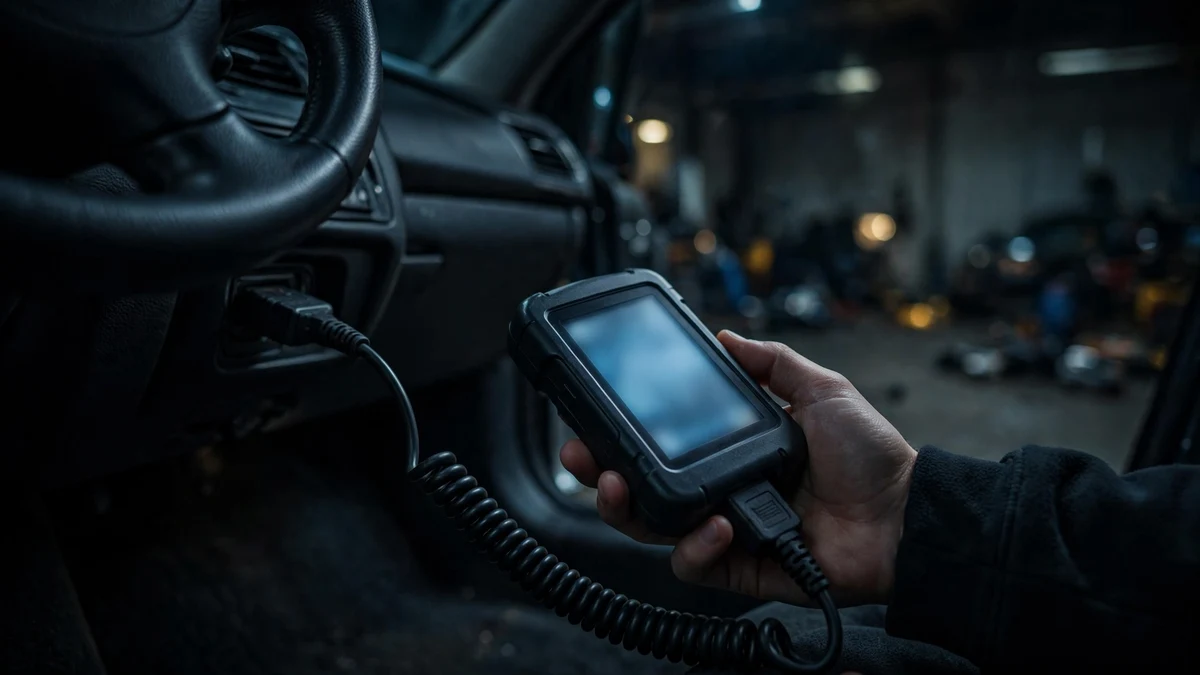
Short answer: The best OBD2 scanner for BMW depends on the job. A basic $15–30 Bluetooth reader handles check-engine P-codes from the engine computer, but it can’t read BMW’s manufacturer-specific codes or see other modules. For full-system diagnostics, BMW-specific tools like BimmerLink, the Foxwell NT510 Elite, or Carly read codes from every control unit, register new batteries, and reset service lights — capabilities documented in each maker’s published specs, the basis of every comparison here.
In this guide
- Why generic readers fall short on a BMW
- Scanner tiers compared
- Tier 1: Basic Bluetooth readers ($15–30)
- Tier 2: App-based diagnostics (BimmerLink, Carly, ProTool)
- Tier 3: Handheld BMW scanners (Foxwell NT510/NT530)
- Tier 4: ISTA+, the dealer’s tool
- Which scanner do I need? (picker)
- How to read fault codes, step by step
- Fault code reference: P-codes vs. BMW hex codes
- Codes are symptoms, not diagnoses
- OBD2 scanner FAQ
One honesty note first, because this site doesn’t do fake reviews: we have not hands-on tested any tool in this guide. Every comparison is built from manufacturer-published specifications, documented feature lists, and community-reported pricing — not a test bench. That framing matters in a market full of “we tested 12 scanners” roundups where the testing never happened. What we can reliably lay out: what each tool is documented to do on a BMW, what a basic reader provably cannot do, and which tool fits which owner. That’s enough to buy well.
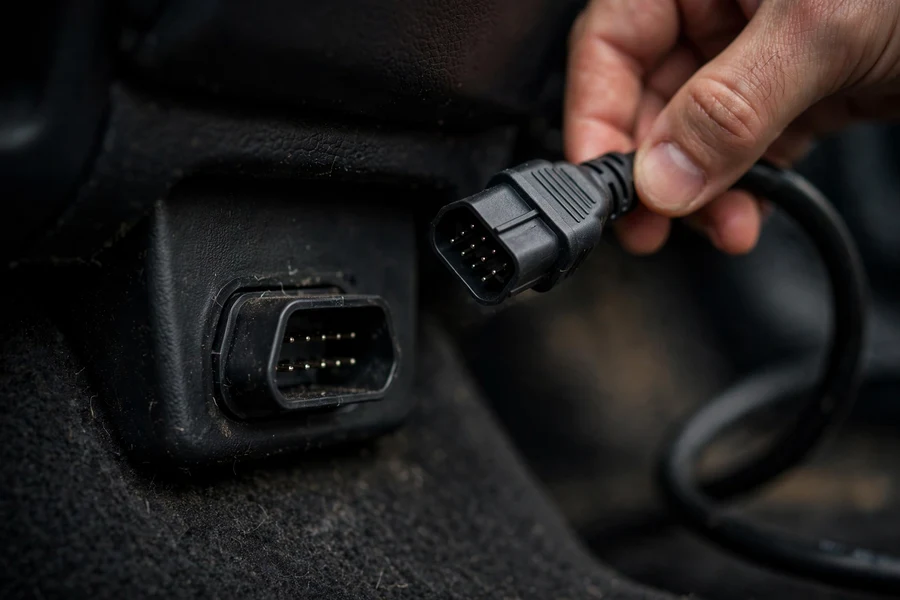
Context: your BMW has the industry’s most standardized diagnostic door. US regulations require the 16-pin OBD-II connector on every model-year 1996+ car, so every E36 (1996+), E46, E90, F30, and G20 3 Series takes a basic reader at the same port under the driver’s-side dash. (Pre-1996 cars used BMW’s round 20-pin under-hood connector.) The port is standard; what sits behind it on a BMW is not — and that’s this guide’s entire subject.
Why a generic code reader falls short on a BMW
A basic OBD2 reader — a $15–30 Bluetooth dongle plus a free phone app — does one job well: reading and clearing generic SAE P-codes from the engine control unit (DME), the standardized codes behind the check engine light. It also shows live sensor data and freeze-frame snapshots (conditions captured when a code set). For a quick “what is this light, and can I drive to a shop?” check, that job matters — every BMW owner should arguably own one.
But a BMW is not a generic car wearing a roundel, and the limits of a basic reader show up fast. Here is what a generic tool provably cannot do on your 3 Series:
- It can’t read BMW manufacturer-specific codes. BMW control units store hex codes only BMW-aware tools interpret — the 29xx/2Exx family on E-series cars (2E81/2E82 for the water pump) and the 140xxx family on F-series cars (misfire diagnostics). A generic reader shows only the P-code translation, when one exists; some BMW faults have no P-code equivalent at all.
- It can’t see the other control modules. OBD-II standardization covers the emissions/powertrain side — essentially the DME. On a modern 3 Series, most interesting faults live elsewhere: ABS/DSC, airbag (SRS), transmission (EGS), body/comfort modules (FRM, CAS), and HVAC. A basic reader is blind to all of them — an airbag warning or a transmission fault simply doesn’t exist in its world.
- It can’t perform BMW service functions. Battery registration, oil and CBS service resets, brake pad wear resets, steering-angle sensor calibration, DPF regeneration, injector coding, electronic parking brake service mode — none are in a generic reader’s vocabulary. Several aren’t optional conveniences: battery registration is required procedure when you replace the battery.
- It can’t code anything. Enabling or changing vehicle features (coding) is entirely outside a generic reader’s capabilities.
The practical consequence: for a lone check engine light, a basic reader gets you in the door. But with an airbag warning, a drivetrain malfunction, or anything iDrive-related, it typically reports “no codes” on a car that’s clearly unhappy — it’s looking through the wrong keyhole. That’s the documented boundary of the generic OBD-II standard on a BMW, and the tiers below cross it.
The scanner tiers, compared on documented specs
BMW scan tools fall into four tiers, from a $15 dongle to dealer software. The table compares them on what matters for a 3 Series owner: price band, module coverage, coding, and service functions. Every entry reflects documented capabilities at the time of research — not bench testing.
| Tool | Price band* | BMW module coverage | Coding | Service functions | Best for |
|---|---|---|---|---|---|
| Basic Bluetooth dongle (ELM327-type + free app) | $15–30 | DME only (generic P-codes) | No | No | Quick CEL checks before a shop visit |
| BimmerLink (SG Software GmbH, app) | ~$40–60 one-time + adapter (~$20–50) | All control units | No (separate BimmerCode app) | Yes — battery registration, brake/oil resets, EPB service, DPF | iPhone or Android DIYer doing own maintenance |
| Carly (app + adapter) | ~$80–95 adapter + €65–105/yr license | All control units (paid tier) | Yes (paid tier) | Yes — maintenance resets, battery check | Owner wanting diagnostics + coding in one subscription |
| BimmerGeeks ProTool (Android app) | App free; coding license ~$80; full setup ~$190 | All control units | Yes | Yes — battery registration, control-unit resets | Android enthusiast wanting coding value |
| Foxwell NT510 Elite (handheld) | $129–159 | All major systems (BMW software preloaded) | No (adaptations yes) | Yes — oil/CBS/EPB/TPMS/SAS/DPF, battery registration, injector coding | No-subscription, no-phone diagnostics |
| Foxwell NT530 (handheld) | $169–223 | Same as NT510 Elite | No (adaptations yes) | Same as NT510 Elite | Same as NT510 Elite, with better hardware |
| ISTA+ (BMW workshop software) | $30/day–$2,500/yr legit subscription + laptop/cable | Every module, guided test plans | Yes | Yes — everything the dealer can do | Serious DIYer or future shop hand |
Tier 1: Basic Bluetooth readers ($15–30)
The cheapest way into BMW diagnostics is a generic Bluetooth (or Wi-Fi) ELM327-type adapter plus a free phone app. Plug it into the OBD-II port, pair it, and within a minute you can read the codes behind a check engine light, view live data, and pull freeze-frame data. For the owner whose only question is “what’s this light, and can I drive to the shop?”, this tier answers it for the price of a pizza.
Know what you’re buying: it reads the DME and only the DME. It clears codes — occasionally useful, frequently misused (more in the walkthrough). It’s pocket-sized; plenty of owners keep one in the glovebox. It will never explain an airbag light, an iDrive “drivetrain malfunction,” or a 2E81 water-pump shadow code — those live outside the generic standard. First tool, not the only tool.
Tier 2: App-based BMW diagnostics (BimmerLink, Carly, ProTool)
Tier 2 is where BMW-specific capability starts: phone apps that speak BMW’s manufacturer protocols through a compatible OBD adapter. All three established options read and clear codes from all control units — not just the DME — the single capability separating them from Tier 1. They differ in pricing model, coding, and which phone you carry.
BimmerLink (SG Software GmbH)
BimmerLink is the BMW/MINI-only app from SG Software GmbH: roughly $40–60 one-time ($44.99 cited; varies by region), plus a compatible OBD adapter bought separately (~$20–50). Documented: code reading/clearing across all control units, live sensor dashboards (oil temperature, boost pressure), DPF status and regeneration, battery registration, service resets including brake pad wear and electronic parking brake service mode, exhaust flap control, and Active Sound Design muting. It doesn’t code — that’s BimmerCode, the separate sister app. Check the developer’s adapter list; not every dongle works.
Carly
Carly is the subscription alternative: a multi-brand app with a proprietary adapter (~$80–95 one-time) plus an annual license for advanced features. The BMW package has been cited at €64.89/year and €65–105/year — roughly €150–185 all-in for year one. Tiers change often by brand and region; treat every figure as “at time of research.”
The free tier covers basic OBD diagnostics (engine and transmission), live data, and an emission check — roughly Tier 1-plus. Paid unlocks the BMW depth: full multi-ECU diagnostics (engine, transmission, ABS, airbag, multimedia), service resets, battery check, coding, a “Smart Mechanic” repair guide, and a used-car check with mileage-fraud detection. Two caveats: depth is documented as strongest on German brands (weaker elsewhere — relevant for multi-car households), and you pay annually for hardware you already own. It’s the most hand-holding pick for owners wanting diagnostics and coding together.
BimmerGeeks ProTool
ProTool, from BimmerGeeks, is the enthusiast value play — with one hard constraint: Android only; iPhone owners are excluded. The app is free, the coding license is about $80, and a community breakdown puts an all-in setup (cheap Android device, ENET cable, license) near $190. Documented: read/clear errors across all control units, coding, battery registration, live data logging, control-unit resets, even ECU VIN changes for used-part swaps. Needs an adapter — K+DCAN (E-series), ENET (F/G-series), or the BimmerGeeks Bluetooth adapter. On Android it’s the most capability per dollar here; on iOS it isn’t an option, which settles it before price does.
Tier 3: Handheld BMW-specific scanners (Foxwell NT510 Elite, NT530)
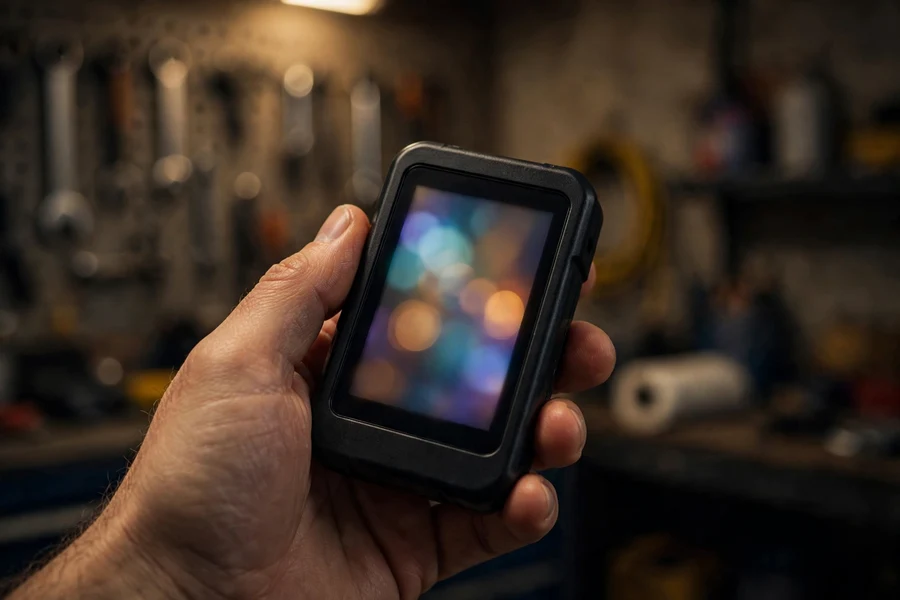
If you’d rather not route diagnostics through a phone — no pairing, no subscriptions, no adapter-compatibility questions — Tier 3 is the handheld BMW-specific scanner. The established name is Foxwell: one-time purchase, no subscription, BMW software preloaded.
Foxwell NT510 Elite (~$129–159)
The NT510 Elite ships with BMW/MINI/Rolls-Royce software preloaded (other brands purchasable separately). Documented: full-system diagnosis across engine, airbag, transmission, ABS, steering-angle sensor, electronic parking brake, TPMS, and body/chassis/powertrain; code reading/clearing plus MIL reset; live data; and bi-directional control / active tests — commanding components (windows, mirrors, cooling fans, fuel pump, EGR) to verify they respond. Service functions: oil/CBS resets, ABS bleeding, EPB service, SAS calibration, DPF regeneration, throttle-body adaptation, battery registration (same type and capacity), injector coding. Covers the E30, E46, E90, F30, and G20 3 Series. Not VIN-locked — one unit serves the whole household — with free lifetime Wi-Fi updates.
Foxwell NT530 (~$169–223)
The NT530 is the step-up sibling, and Foxwell’s own comparison states the key fact: the NT530 runs the same software functions as the NT510 Elite — differences are hardware only. The premium buys an integrated keypad, a detachable longer cable, and a faster processor. One trade-off: the NT510 Elite updates over Wi-Fi; the NT530 needs a PC. Priced close together, choose on hardware preference (NT530) versus update convenience (NT510 Elite) — diagnostic capability is identical per the manufacturer.
Who Tier 3 fits: the DIYer doing their own oil changes, brake jobs, and battery swaps, who wants a toolbox tool that never asks for a subscription renewal. It won’t code features like BimmerCode or Carly, but for maintenance and diagnostics it’s the no-phone, no-fuss option — and bi-directional active tests give it a troubleshooting dimension the app tier mostly lacks.
Tier 4: ISTA+ — the dealer’s own tool
ISTA+ — successor to the DIS/GT-1 and INPA/ISTA-D/ISTA-P line — is the dealer’s tool: guided test plans, fault reading/clearing across every module, ECU coding and programming, all service functions, wiring diagrams, live data. Hardware is modest: a Windows laptop plus a K+DCAN cable (E-series) or ENET cable (F/G-series) at $15–30 each (or BMW’s ICOM interface).
The honest part is access. Legitimate ISTA+ comes through BMW’s TechInfo subscription — cited at $30/day, $250/month, $2,500/year. Unofficial free downloads circulate, but they’re BMW’s copyrighted software; this guide won’t link to pirated copies. The straight line: ISTA+ is the dealer’s tool, and unless you pay BMW’s subscription, you legally don’t get it. Add the steep learning curve and Windows-only requirement: the most powerful option, and overkill for a casual owner. It belongs with serious DIYers and aspiring professionals. (For tech-savvy E-series owners, INPA plus a $15 K+DCAN cable is the cheapest documented route in — free software, but Windows-only, unsupported, steep learning curve.)
Which scanner do I need? (interactive picker)
Answer three questions — what you want the tool to do, which phone you carry, and your budget — and the picker points you at the right tier. Recommendations follow the documented capabilities compared above; nothing here is based on hands-on testing.
Which scanner do I need?
Three questions, one recommendation. Based on documented capabilities — not hands-on testing.
Answer all three questions above to see your recommendation.
How to read fault codes on your BMW, step by step
Operating a scanner is the easy part — a 1 out of 5 on difficulty. The discipline is the sequence: record everything first, interpret second, clear last. That order avoids the classic beginner mistake of erasing the evidence before understanding it.
- Ignition on, engine off. Plug the adapter into the OBD-II port (driver’s side, under the dash), then switch the ignition to run without starting the engine. Most modules report fully with the ignition on; the tool will tell you if a live-data reading needs the engine running.
- Scan, and record every code before you touch anything. Screenshot the complete fault list — every code, every module, including stored “shadow” faults with no warning light. On F-series cars, scan all modules, not just the engine: airbag and transmission faults never light the check engine light, so an engine-only scan can report “no faults” on a car that’s clearly complaining.
- Check the freeze-frame data. For each engine code, pull the freeze frame — RPM, coolant temperature, load, fuel trims captured when the code set. A misfire at cold idle points somewhere different than one at 4,000 RPM under load.
- Research the code, then fix the cause. Look up what it means (the tables below are a start; our check engine light guide covers the most common 3 Series causes). A code names the unhappy system, not the part to buy.
- Clear, test-drive, re-scan. After the repair, clear the codes and drive a proper cycle — varied speeds, some idle time, a cold start if possible — then scan again. If the code returns, the cause isn’t fixed. Clearing without fixing just restarts the countdown.
Two BMW-specific notes. First, on F-series cars repeated misfires trigger “Drivetrain malfunction” on iDrive — not just a check engine light — as the DME cuts fuel to the misfiring cylinder to protect the catalytic converter. The warning often clears after a restart and returns on the next event. Our drivetrain malfunction guide covers that pattern; it’s exactly where a BMW-specific tool earns its keep, since the hex codes (140010 and family) identify the cylinder precisely.
Second, code reading and service functions are separate menus. Service functions are active procedures the car requires at maintenance time — battery registration after a swap, oil and CBS resets after a service, brake pad wear resets after a brake job, EPB service mode before rear pads. Our service light reset guide covers the cluster-button resets; beyond that you need a BMW-capable tool.
Fault code reference: P-codes vs. BMW hex codes
Your scanner speaks two code languages. Generic SAE P-codes are the standardized emissions codes every OBD-II tool reads — what a basic reader gives you. BMW hex codes are the manufacturer’s own identifiers: more granular, often more useful, visible only to BMW-aware tools. The same misfire can be P0302 generically and 140201 in BMW’s world, the latter saying more about what the DME saw. The codes you’re most likely to meet:
| Generic P-code | Standard (SAE J2012) description | What it points to on a 3 Series |
|---|---|---|
| P0300 | Random/multiple cylinder misfire detected | General misfire — plugs, coils, fuel, or air; needs cylinder follow-up |
| P0301–P0306 | Cylinder 1–6 misfire detected | One-cylinder misfire — coil and plug first suspects |
| P0351–P0356 | Ignition coil primary/secondary circuit malfunction | Coil circuit fault — points at the coil or its wiring |
| P0171 / P0174 | System too lean (Bank 1 / Bank 2) | Classic BMW vacuum-leak signature — intake boots, CCV, DISA seals |
| P0420 | Catalyst system efficiency below threshold (Bank 1) | Converter degrading — rule out upstream causes (misfires, lean condition) first |
| P0313 | Misfire detected with low fuel | Often from running the tank near empty — refuel, clear, re-check |
| BMW hex code | BMW-specific description | Notes |
|---|---|---|
| 29CC | Misfire, several cylinders (E-series DME) | E-chassis era; community-verified from forum threads |
| 29CD–29D2 | Misfire, cylinder 1–6 (E-series DME) | E-chassis era; cylinder-specific misfire ID |
| 140010 | Misfire, several cylinders: detected (F-series DME) | F-chassis era; behind many “drivetrain malfunction” warnings |
| 140001 | Misfire, several cylinders: injection switched off (F-series) | DME cut fuel to protect the catalytic converter |
| 140101 / 140201 / 140301… | Misfire, cylinder 1/2/3: detected (F-series) | Pattern 140×10 for cylinder x — precise cylinder ID |
| 140111 / 140211 / 140311… | Cylinder-specific misfire with injection cut-out (F-series) | Misfire severe enough for DME intervention |
| 2E81 / 2E82 | Electric coolant pump: speed deviation / over-current cutoff | Water pump fault family — see our water pump failure guide; invisible to generic readers |

Codes are symptoms, not diagnoses
A fault code says something in this system is wrong — it is not a prescription for which part to replace. P0171 (“system too lean”) doesn’t mean “replace the mass airflow sensor”; it means unmetered air is entering somewhere, and the candidates run from a cracked $20 intake boot to a failing crankcase ventilation system. Owners who treat codes as shopping lists replace the MAF, then the O2 sensors, then the fuel pump, chasing a vacuum leak a smoke test would have found in ten minutes.
Let the code narrow the system, then test within it. A cylinder-specific misfire (P0302 or 140201) justifies swapping that coil with a neighbor’s to see if the code follows — a free test that condemns or exonerates a $30–60 part. A lean code justifies inspecting every intake boot and vacuum line before buying anything. The scanner’s real value isn’t the code; it’s the freeze-frame data, live fuel trims during testing, and the post-repair re-scan confirming the fix. The tool makes you faster — interpretation is still your job, and no scanner automates it.
One more honest boundary: intermittent multi-module electrical faults, programming-level issues, and secure vehicle functions sit beyond what consumer tools document. Knowing when your scanner has told you everything it can — and handing the car to a BMW specialist with ISTA+ at that point — isn’t a failure of the DIY approach. It’s the DIY approach working correctly.
OBD2 scanner FAQ
Can a cheap Bluetooth OBD2 reader read BMW fault codes?
Partially. A $15–30 Bluetooth reader reads generic SAE P-codes from the engine computer (DME) — enough for most check engine light causes. But it can’t read BMW hex codes (29xx/140xxx families) or see other modules (ABS, airbag, transmission). Beyond the check engine light, you need a BMW-specific tool.
Do I need a BMW-specific scanner to register a new battery?
Yes. BMW requires battery registration on replacement (same type and capacity) — coding if you change chemistry or size. A generic reader can’t do it; BimmerLink, Carly, ProTool, and the Foxwell NT510 Elite/NT530 all document it as a supported function. Our battery registration guide explains why it matters.
What is the difference between the Foxwell NT510 Elite and the NT530?
Per Foxwell’s own comparison, the NT530 runs the same software functions as the NT510 Elite — differences are hardware only. The NT530 adds an integrated keypad, a detachable longer cable, and a faster processor. Trade-off: the NT510 Elite updates over Wi-Fi; the NT530 needs a PC.
Can BimmerLink code my BMW?
No. BimmerLink covers diagnostics and service functions (all-module codes, battery registration, service resets, DPF) but not coding — that’s BimmerCode, the separate sister app. Carly and ProTool (Android only) bundle coding with diagnostics.
Is ISTA+ worth it for a home DIYer?
For most owners, no. ISTA+ is BMW’s workshop software — guided test plans, wiring diagrams, full coding — the deepest tool available. But legitimate access needs a BMW TechInfo subscription ($30/day–$2,500/year), it’s Windows-only, and the learning curve is steep. It suits serious DIYers; a Foxwell handheld or BimmerLink covers typical needs.
Buy the scanner that matches the job you’ll actually do. If ownership means driving and visiting a shop when a light appears, the $15–30 reader plus our check engine light guide is a complete answer. If you do your own oil, brakes, and batteries, a BMW-specific tool like BimmerLink or the Foxwell NT510 Elite pays for itself the first time it registers a battery or resets a service you performed. Scan at each service interval: a quick all-module scan catches shadow faults before they become warning lights. Our 3 Series maintenance schedule lays out that timeline, and the complete BMW 3 Series guide puts the scanner in context with everything else the car asks of you.